Auto
Auto  4 months ago
11
4 months ago
11 
Most "AI + Obsidian" setups are a chat box reading your notes. That's a search bar with vibes.
This is what a real AI assistant inside Obsidian looks like.
After 4 years of building, refining, and using it every single day, I'm releasing Obsidian Starter Kit v4. This version is fully AI-enabled, and it is the biggest leap the kit has ever taken.
Watch the full walkthrough
A complete tour of Obsidian Starter Kit v4 — architecture, agents, skills, LLM Wikis, the Graph Explorer plugin, and two live demos.
TL;DR
Obsidian Starter Kit v4 turns your Obsidian vault into a full AI assistant; not a chatbot sidebar, an actual assistant system with a clear architectureA Receptionist routes every prompt to the right specialist; you don't pick agents or load skills, you just askDozens of AI agents with their own style, memory, and dependencies handle the judgment-heavy workHundreds of AI skills cover action, books, discovery, health, ideas, identity, insights, knowledge, media, people, reading, research, ritual, review, task, thinking, vault, wiki, and much moreLLM Wikis ship as first-class OSK skills; Karpathy's idea, fully implemented and battle-testedThe new Graph Explorer plugin is built for navigating AI-generated knowledge basesAn identity system teaches AI who YOU are; values, beliefs, communication style, projects, non-goalsThe OSK plugin makes notes strongly typed; folders, templates, properties, mappings; the AI uses the OSK CLI to introspect everythingThis is the system I run my entire life and business on. Now it's yoursExisting customers get v4 for free. New customers should grab it before the price increasehttps://www.store.dsebastien.net/product/obsidian-starter-kit/
What v4 Actually Is
The headline isn't "we added AI features." It's that the whole vault is now an AI assistant.
That's a different statement.
Most "AI + Obsidian" experiences are a chat panel that reads your notes. Useful, sometimes. But it's just a fancy search bar. The AI doesn't know your note types. It doesn't know where things belong. It doesn't know who YOU are.
v4 is built the other way around. The AI knows your note types because the OSK plugin defines them. It knows where notes belong because each type has a resolved folder. It knows your style, your values, and your priorities because the identity system spells them out. It has agents with personalities. It maintains memory across sessions. It uses a CLI to introspect your vault structure on the fly.
That's not "AI features." That's a real assistant.
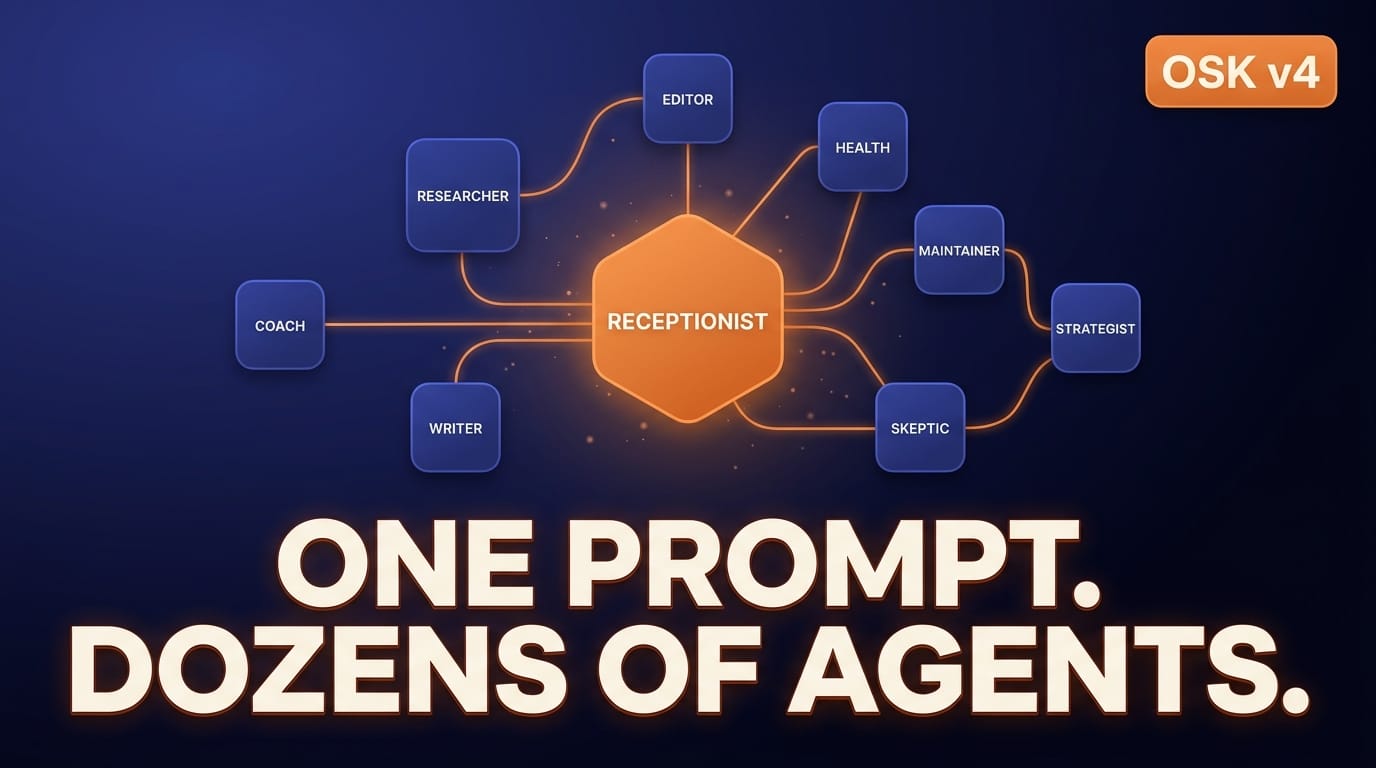 One prompt. Dozens of specialized agents. That's the Receptionist pattern in action.
The Receptionist Pattern
Here's the core design decision: there's a single entry point.
You don't think about agents. You don't load skills. You don't dispatch capabilities by hand. You just ask.
The Receptionist reads your intent, picks the right specialist (an agent, a panel, a team, or a council), loads the right skills, runs them, and gets the work done. If the active agent uncovers work that belongs to a different specialist, it hands off through the Receptionist with a clear protocol; max-depth limits, no duplicates, no circular calls.
The result: you stay in flow. The system handles the routing.
Specialized AI Agents
OSK v4 ships with dozens of agents. Each has three things:
A SOUL — identity, voice, communication styleA MEMORY — what it has learned and what to remember across sessionsDEPENDENCIES — the skills and context files it loads when activatedA short tour of who lives in there:
Editor — structure, clarity, grammar, flowResearcher — deep dives, synthesis, source qualityHealth Advisor — sleep, exercise, stress, burnout detectionMaintenance Worker — tags, backlinks, orphans, hygieneSkeptic — claim testing, logical fallacies, intellectual integrityStrategist — positioning, revenue, products, business strategyProject Manager — scope, deadlines, dependencies, velocityCoach — goals, priorities, weekly reviews, habitsProvocateur — punchy contrarian angles, hooks, reframesStoryteller — narrative, anecdotes, making concepts humanMentor — long-term perspective, patience, regret minimizationSports Coach, Meeting Assistant, Personal Assistant, Automation Expert, Wiki Curator, and moreEach one answers in its own style. That's not cosmetic. The style shapes the kind of work they do well.
I'm actually shrinking the agent layer in future versions. Skills are doing more of the heavy lifting. The agents stay for jobs that need persona, judgment, and memory.Hundreds of AI Skills
Skills are the engine.
Each one is a small, focused capability the AI can invoke and compose with others. They cover:
Action — tasks, goals, projects, plans, decisions; create, link, archive, prioritizeBooks — discover, enrich, atomize, suggest, reviewDiscovery — random walks, on-this-day, idea collisions, rabbit holesHealth — check-ins, garmin sync, exercise logging, research, n=1 experimentsIdeas — atomize, capture quotes, graduate from daily notes, generateIdentity — interview, future-self letter, life timeline, influence mapInsights — drivers, foresight, ghost-mode answers, patterns, driftKnowledge — explain, teach, glossary, flashcards, definition extractionMedia — image generation, slides, infographics, screenshotsPeople — meeting prep, person research, relationship nurtureReading — next-read picker, reading analytics, book statusResearch — topic briefs, thesis investigation, arXiv, content intelReview — spaced repetition, queue, cadence, growth ringsRitual — daily check-in, weekly planning, period-end reviewsTask — add, promote, roll forward, analyzeThinking — first principles, premortem, inversion, steelman, red teamVault — audit, link density, MOC gaps, naming, pruneWiki — create, ingest, explore, query, lint, graduate, absorb...That's the abbreviated version. The point isn't the count. It's that each skill is a tested, focused capability that the AI can pick up on demand without bloating context.
The Identity System
This one changes everything.
Most AI tools answer the same way no matter who's asking. v4 doesn't. The identity system is a set of notes about YOU; your values, your beliefs, your communication style, your life priorities, your darkness, your fears, your strengths, your projects, your non-goals.
You don't have to fill all of them in. But the more you do, the more the AI behaves like a specialist who actually knows you.
The difference between "answer my question" and "answer my question knowing what I care about, what I'm working on, and how I want to be talked to" is enormous. v4 closes that gap.
LLM Wikis as First-Class OSK Skills
Andrej Karpathy popularized the LLM Wiki concept. v4 implements it inside Obsidian as proper skills.
The model:
Raw sources — a folder where you dump research material, ingested content, highlightsWiki — structured articles with cross-links, frontmatter, source provenance, confidence trackingSchema — naming conventions, tags, organization rulesOperations — create, ingest, explore, query, lint, graduate, absorbOSK v4 ships AI skills for every one of those operations. You can build an LLM Wiki on any topic with a single prompt, expand it incrementally, audit it for contradictions, and graduate the best material to permanent notes in your vault.
Important: LLM Wikis are not your knowledge base. They are curated content that AI creates for you to explore. Your real thinking still happens in your permanent notes; the wikis are an aid, not a replacement.The Graph Explorer Plugin
LLM Wikis create a lot of material quickly. Navigating that material was the missing piece.
The new Graph Explorer plugin ships with v4 and is designed exactly for this. You can see which articles you've explored, mark them as explored, and follow links node by node. It's a learning aid built on top of AI-generated wikis.
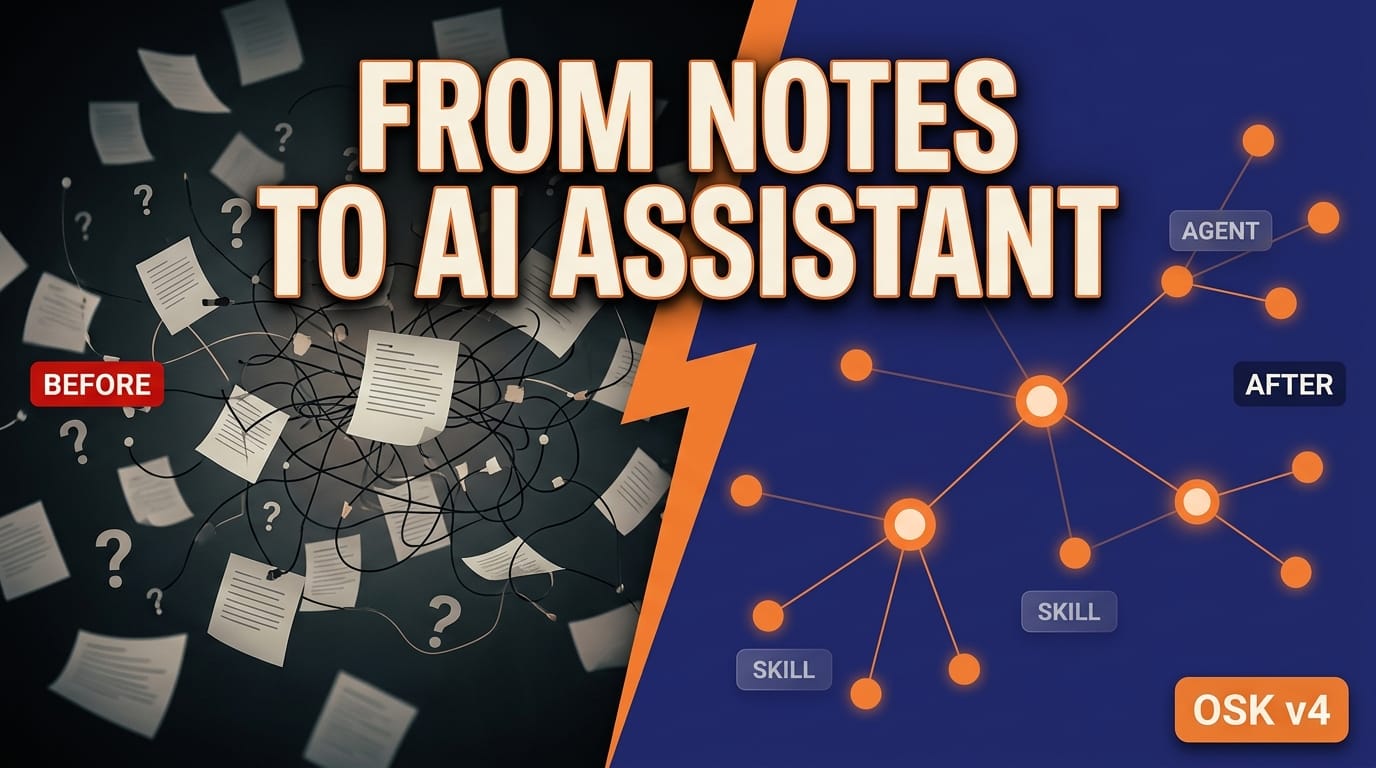 From scattered notes to a structured AI assistant. That's the v4 jump.
The Foundation: Strongly Typed Notes
None of this would work without the foundation underneath.
The OSK plugin defines note types. Each type has a folder, a template, properties, mappings, and tags. Daily notes have 110+ properties. Person notes have their own structure. Book notes, project notes, goals, decisions, dots, quotes; all of them are typed.
This is the reason AI works so well here. It's not guessing. It uses the OSK CLI to query the type registry, then knows exactly where things go, what fields they need, what tags apply, and how they connect.
That's why v4 isn't a demo. It's a system.
Two Live Demos in the Video
The walkthrough includes two real-world demos:
"How many kilometers did I run this month?" — The Receptionist routes the prompt, the OSK CLI introspects daily notes, the assistant filters health frontmatter, and gives me an exact answer with the breakdown. Step by step, on screen."Add an article about tag overwhelm to my PKM Wiki" — The wiki-explore skill loads, researches the topic, drafts a structured article, places it in the correct folder, applies the right metadata, and adds cross-links. End to end.These aren't toy demos. They are the same things I do in my daily workflow.
Why You Should Care
The Obsidian Starter Kit is a serious system designed for serious people.
The AI assistant in v4 is not a toy. It's a production system you can rely and build upon. AI knows about you; your values, your style, your projects, your preferences. It also knows about your note types, how you organize information, where everything belongs. It has agents with actual personalities. It has skills with hard rules. It maintains its own memory across sessions.
This is years of work compressed into a starter kit you can adopt in a weekend.
If you've been waiting for AI + PKM to stop being a gimmick, this is the moment.
Get Obsidian Starter Kit v4
The Essentials version includes:
The full OSK v4 vault40+ note types, templates, and automation rulesThe complete AI assistant system; Receptionist, agents, skills, identity systemLLM Wiki support and the new Graph Explorer pluginThe OSK CLI and full strongly-typed note systemA deep user guide covering both theory and practiceFree updates for lifeThe Premium version adds the Obsidian Starter Course.
If you're an existing OSK customer, v4 is yours for free. Just update.
https://www.store.dsebastien.net/product/obsidian-starter-kit/
Going Further
Want to see it before you buy?
Watch the full walkthrough on YouTube: https://youtu.be/uaT2DQQY254Browse my public notes (10K+ of them, fully open): https://notes.dsebastien.netDownload the Free Beginner's Guide to Obsidian (50+ pages): https://www.dsebastien.net/free-beginners-guide-to-mastering-obsidian/Read customer testimonials: https://www.store.dsebastien.net/testimonials?product=obsidian-starter-kitYou can also get OSK as a bonus by joining the Knowii Community, where we explore Knowledge Management, Knowledge Work, and AI deeply, together.
https://www.store.dsebastien.net/product/knowii-community/
Want to stay in the loop? Subscribe to my newsletter 🚀
What's Next
This article is the overview. Over the coming weeks, I'll publish deeper dives into each part of v4:
The Receptionist pattern in detailHow agent SOUL, MEMORY, and DEPENDENCIES work togetherA guided tour of the most useful AI skillsBuilding an LLM Wiki from scratchThe OSK CLI; introspection, scaffolding, validationThe identity system; what to fill in firstThe Graph Explorer plugin; exploration patternsReal workflows; how I actually use this every dayEach capability deserves its own article with concrete examples and real use cases. Drop a comment on the video or reply to my newsletter and tell me which one you want first.
Conclusion
4 years of work. 20K+ notes of proof that it scales. A full AI assistant living inside your vault.
This is the version of Obsidian + AI I've been waiting for. Now it's real, and it's yours.
That's it for today! ✨